Navigating Google Forms
Google Forms can be easily adjustable to suit the user's needs. Below is a short navigational guide to using Google Forms:
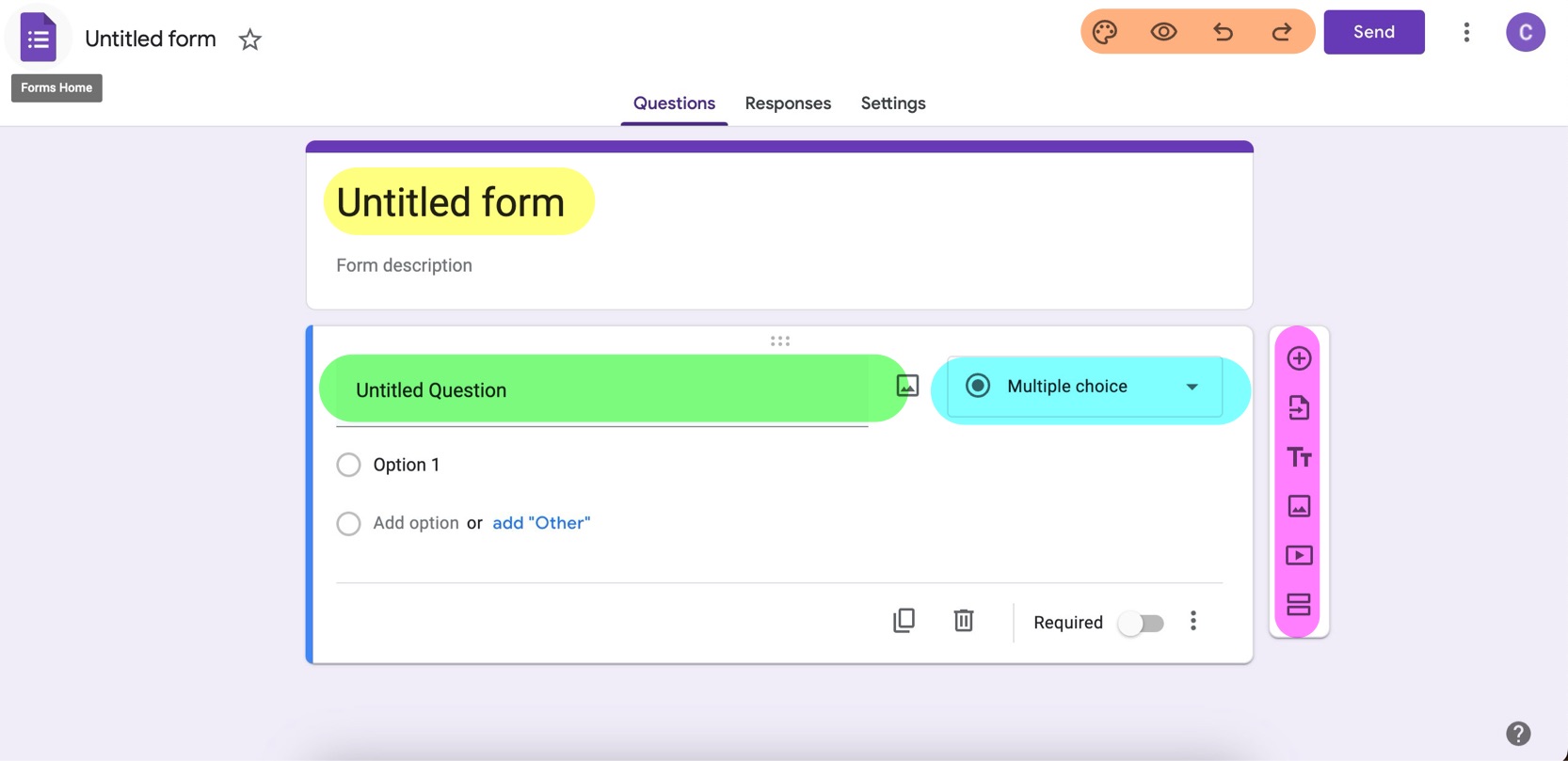
Form Title (Highlighted Yellow)
This is where the title of the form can be renamed.
Question Title (Highlighted Green)
This is where any question on the form is named.
Question Type (Highlighted Blue)
Under this menu, users can modify the question type. This would allow users to distinguish between multiple choice, single answer, check-box, short answer replies, etc.
Sidebar (Highlighted Pink)
On the sidebar, users can include new questions or import various forms of media to be shown on the question.
Top Bar (Highlighted Orange)
On the top bar, users can change the theme of their form, undo or redo changes made, or can see a preview of the final form.