Navigating Google Sheets
Google Sheets is highly customizable, but can be difficult to navigate with the extensive applications of its capabilities. Here is a guide on how to navigate its interface.
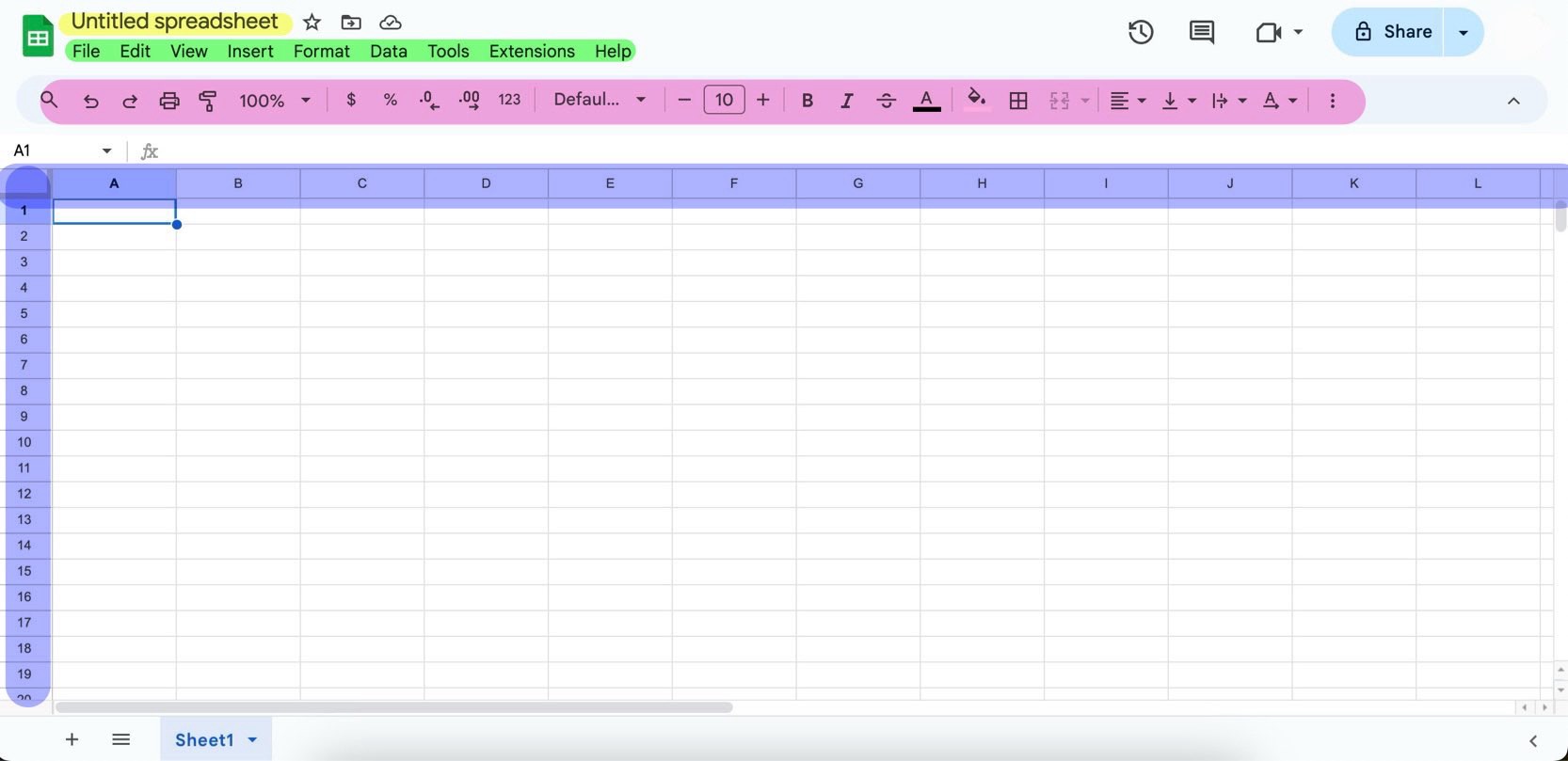
Title (Highlighted Yellow)
The name of your sheet. This will be where the file name is created
Tab Menu (Highlighted Green)
This menu allows users to change elements within file as a whole. This bar allows for determining the file type, the view of the spreadsheet, adding charts, formatting data etc. These tabs edit the document on a macro-scale.
Text Editor (Highlighted Pink)
The text editor allows for users to edit or format cell input. This is where font and paragraph style can be changed on a micro-scale.
Cells (Highlighted Blue)
This is the core of the spreadsheet. All data and functions are created or applied to cells specifically.